Remote stopped working, or you just picked up a new one? Here’s the short version of how to sync garage door opener genie systems: press the learn button on the motor unit, then press your remote button within about 30 seconds. That’s it, that’s the core trick behind almost every method below, whether you’re pairing a handheld remote, a keypad, your car, or the app.
Genie’s made a lot of different openers over the years though, so the exact steps shift depending on what’s mounted on your ceiling.
Find Your Genie Model First
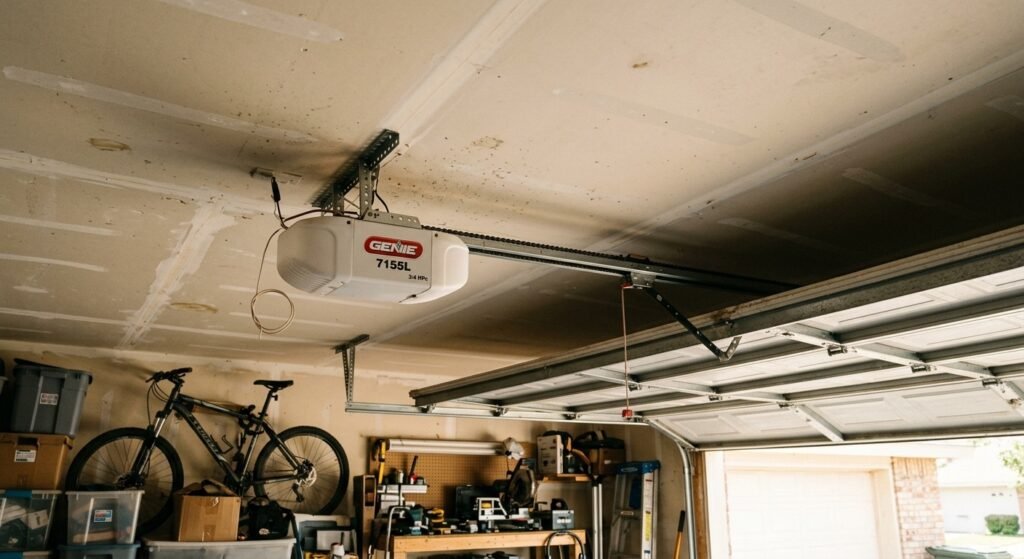
Most people skip this and jump straight to pressing buttons, which is usually where things go sideways. How to sync genie garage door opener units isn’t identical across every model. Older ones use small internal switches. Newer ones have a single learn button. The newest ones also connect over Wi-Fi.
Check the side or bottom of the motor unit for a sticker with the model number. It’s sometimes faded if the opener’s been up there a while, so a flashlight helps.
If you can’t read it, Genie’s support site has manuals searchable by model.
What You’ll Actually Need
- Your Genie remote(s) or keypad
- A ladder, if the unit’s mounted high
- Fresh batteries for the remote
- A couple of quiet minutes where nobody else touches the door
Check that the door moves smoothly by hand first, with the opener disconnected. A door that’s dragging or has dirty tracks won’t sync any better no matter how many times you press the learn button, and it just muddies the troubleshooting later.
How to Sync Garage Door Opener Genie with a Remote
Newer Genie Models (Colored Learn Button)
Most recent Genie openers have a small colored learn button, usually purple, red, or orange, on the back or side of the motor unit. Sometimes it’s behind the light lens cover.
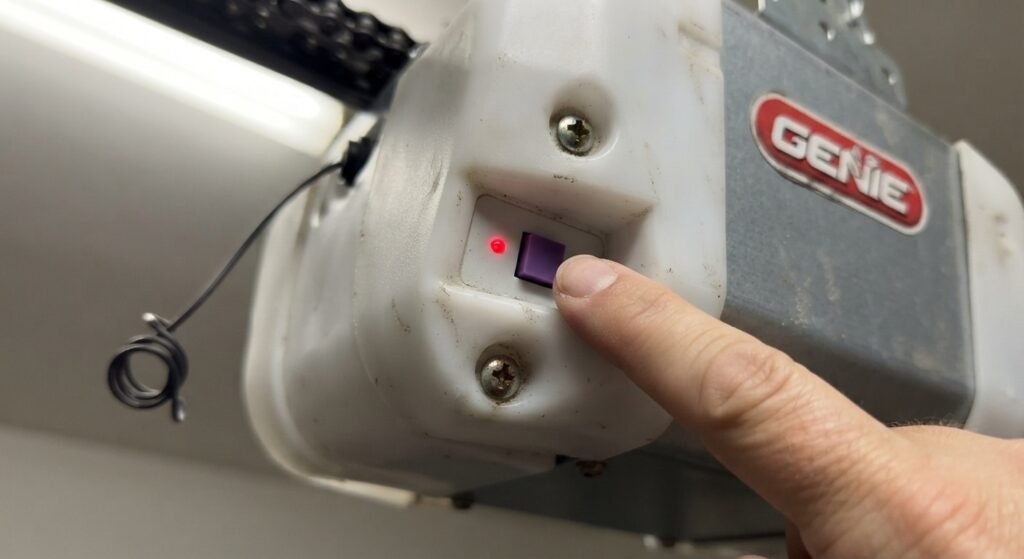
- Press and release the learn button. A light near it turns on or blinks.
- You’ve got about 30 seconds from here.
- Press and hold the button you want on your remote until you hear a click or see the light blink twice.
- Let go, press the remote once to test.
If it doesn’t work the first time, try again. Two or three attempts is pretty normal, especially if the remote’s not right next to the unit. Keyless entry pads follow roughly the same process here too, just a different device catching the signal.
If you’re searching how to sync garage door opener with remote for a different brand entirely, the button location and the timing window (some brands give you 10 seconds, others 30) won’t necessarily match what’s written here.
Older Genie Models (Dip Switches)
Older units sometimes use small switches inside the remote and receiver instead of a learn button, a setup that was common before rolling-code Intellicode tech took over.
You match a row of tiny switches inside the remote to the same pattern on the receiver near the antenna wire. A small screwdriver makes this easier. Openers from the early 2000s or earlier are the most likely candidates for this type.
How to Sync Genie Garage Door Opener with Car (HomeLink)
Plenty of cars have HomeLink buttons built into the visor or rearview mirror. Pairing these works a bit differently than a handheld remote.
- Clear old codes from your car’s HomeLink system, usually by holding the two outer buttons until the light blinks fast.
- Hold your Genie remote a couple inches from the HomeLink buttons.
- Press and hold both the remote button and the HomeLink button together.
- When the HomeLink light switches from a slow blink to fast, release both.
- Press the learn button on the opener, then go back and press the HomeLink button twice within that 30-second window.
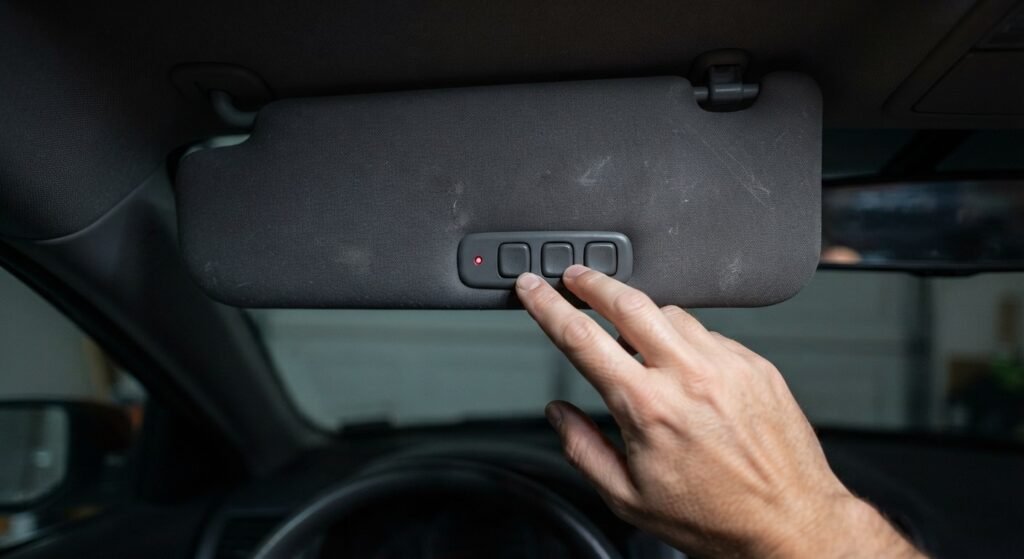
For anyone typing how to sync garage door opener to car without a specific brand in mind, this HomeLink sequence is close to the industry standard. Steps shift slightly by car make and model year, so check your vehicle’s manual if it’s not clicking after a couple of tries.
How to Sync a Genie Wall Keypad
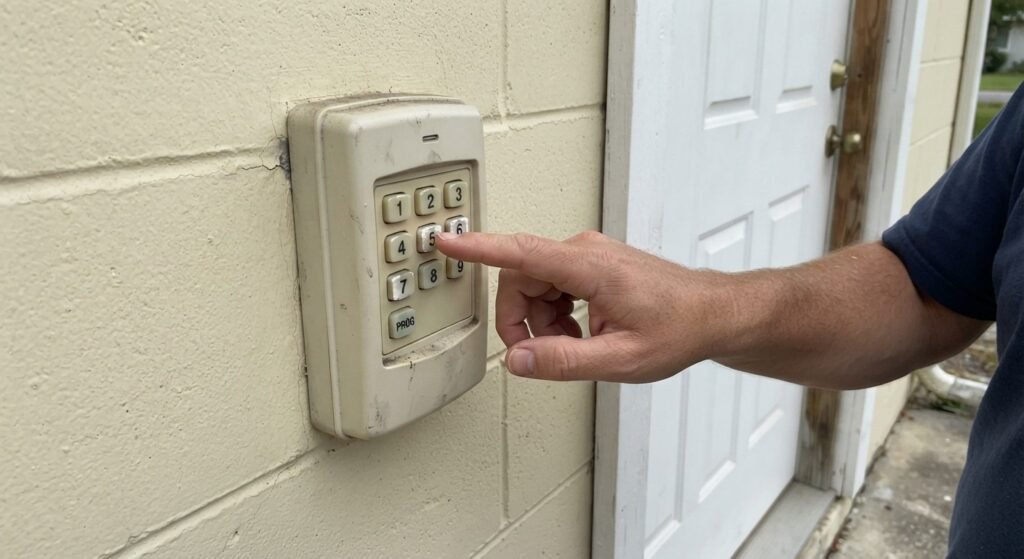
- Press the learn button on the motor unit.
- While the light’s active, enter a 4-digit PIN.
- Press “Enter” or “Program” on the keypad.
- Test it by entering the code and pressing the button.
Pick a PIN you’ll actually remember, since forgetting it is the most common reason people end up doing this step twice.
Syncing the Genie Aladdin Connect App
Newer Genie openers with a built-in Wi-Fi module can also be controlled through the Aladdin Connect app, alongside the regular remote.
- Download the app and create an account.
- Make sure the opener’s powered on and in range of your home Wi-Fi.
- Tap “Add a Device” and follow the setup prompts, which usually involve pressing a button on the Wi-Fi module to start pairing.
- Connect the module to your network through the app.
- Once paired, you can open, close, and check the door’s status from your phone.
If the app can’t find your opener, check that your Wi-Fi is 2.4GHz. Several smart home devices, this one included, don’t connect over 5GHz networks.
Genie Opener Not Syncing? Here’s What’s Usually Wrong
Weak battery. The most common cause by a wide margin. The remote can still light up when pressed without sending a strong enough signal.
Standing too far from the unit. Stay within a few feet during the actual syncing process. Range from across the driveway is fine once it’s paired.
Vacation lock is on. Some models have a switch that disables every remote at once. Worth checking before assuming a bigger problem.
Antenna’s tucked up or damaged. The wire needs to hang loose, not be coiled behind the housing. It affects range more than most people realize.
Memory’s full. Genie receivers only hold a limited number of codes. Program enough remotes over the years and older ones can get bumped off.
| Light Behavior | What It Means |
| Solid light after pressing learn button | Ready for a new remote |
| Light blinks twice after remote press | Synced successfully |
| No light at all | Button not making contact, or a power issue |
| Light’s on but door won’t move | Synced fine, separate mechanical issue |
Clearing and Reprogramming All Remotes at Once
- Hold the learn button 8-10 seconds until the light blinks, then goes out.
- Re-sync each remote and keypad one at a time using the steps above.
This is worth doing if you bought a used home, since there’s no way to know who else might still have a working remote.
When It’s Time to Call Someone Instead
- Grinding or clicking noises from the motor
- The door reverses on its own before fully closing
- The remote only works standing directly under the opener
- Several reprogramming attempts with no change
- Visible damage to wiring or the circuit board
FAQs
How do you sync a garage door opener if it’s not a Genie brand?
The basic concept carries over, find the learn button, press the remote within the time window. Button location, color, and timing vary by manufacturer.
How to sync your garage door opener to your car without HomeLink?
A universal garage remote clipped to your visor works as an alternative, programmed the same way as any other Genie remote.
Will a brand-new remote work automatically?
No. Even a remote bought directly from Genie needs to be manually programmed to your unit.
Can I use a universal remote with a Genie opener?
Yes, provided it supports Genie’s frequency and protocol. Check the packaging or manual first, since this varies by model.
Why does my opener keep losing its programmed remotes?
Could point to a failing circuit board or electrical issue, particularly if it happens after storms or power outages.
Do I need to re-sync every year?
No set schedule exists for this. It’s only necessary again after a battery change that resets the remote, a new remote, or clearing the memory on purpose.
Wrapping Up
How to sync garage door opener genie systems really comes down to two things: finding the right learn button for your specific model, and hitting that short window to press the remote. Remote, keypad, HomeLink, or the Aladdin Connect app, the process is one most homeowners can work through on their own. Check the battery and antenna first if something’s not clicking, before assuming the whole unit needs replacing.